Open OnlinePOS -> press 'admin' at the bottom left corner 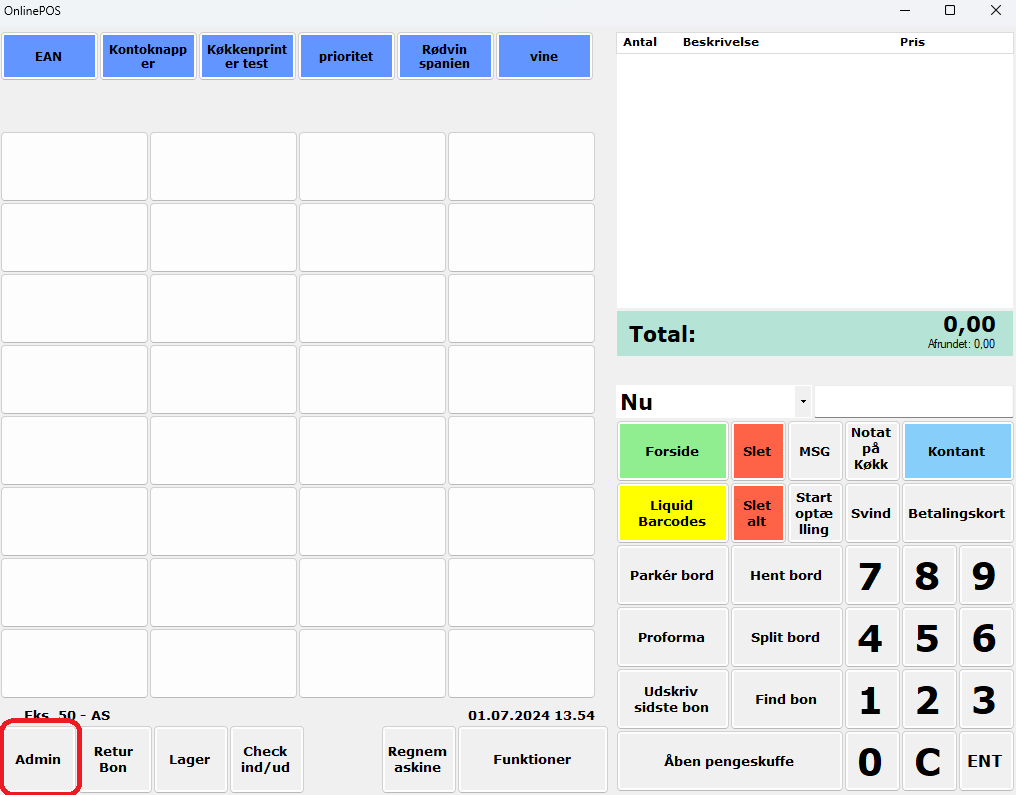
Select the SAF-T tab at the top 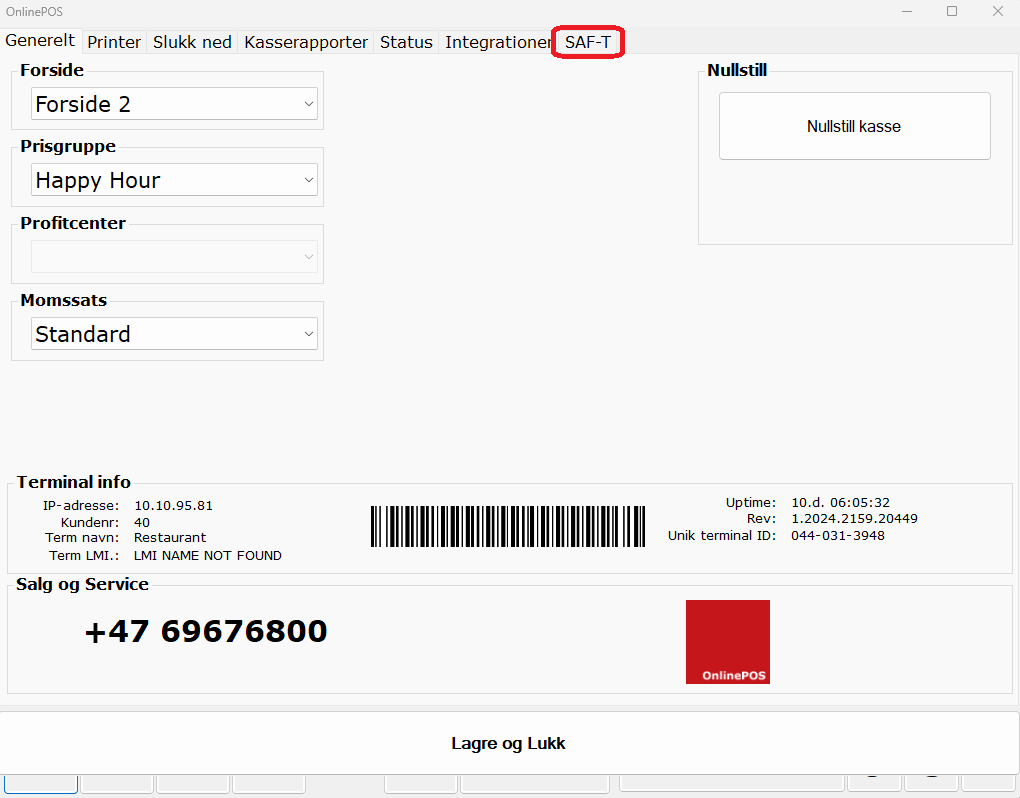
Select month and year -> press "generate files" 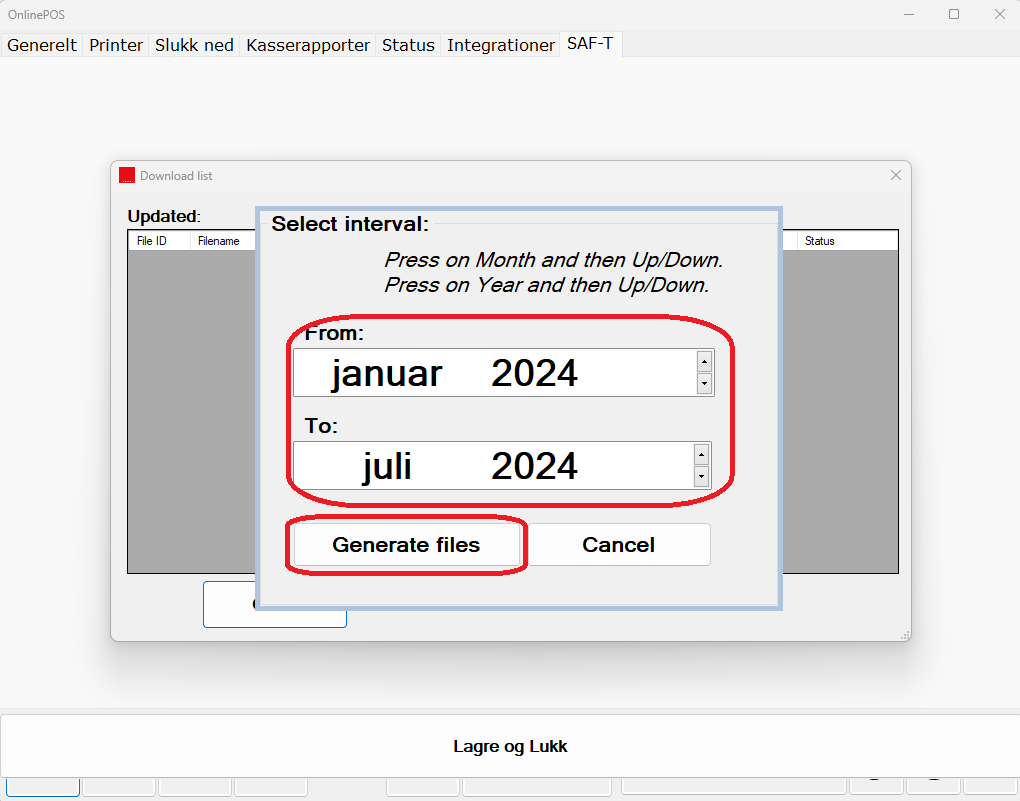
Wait until it is ready -> press "download" 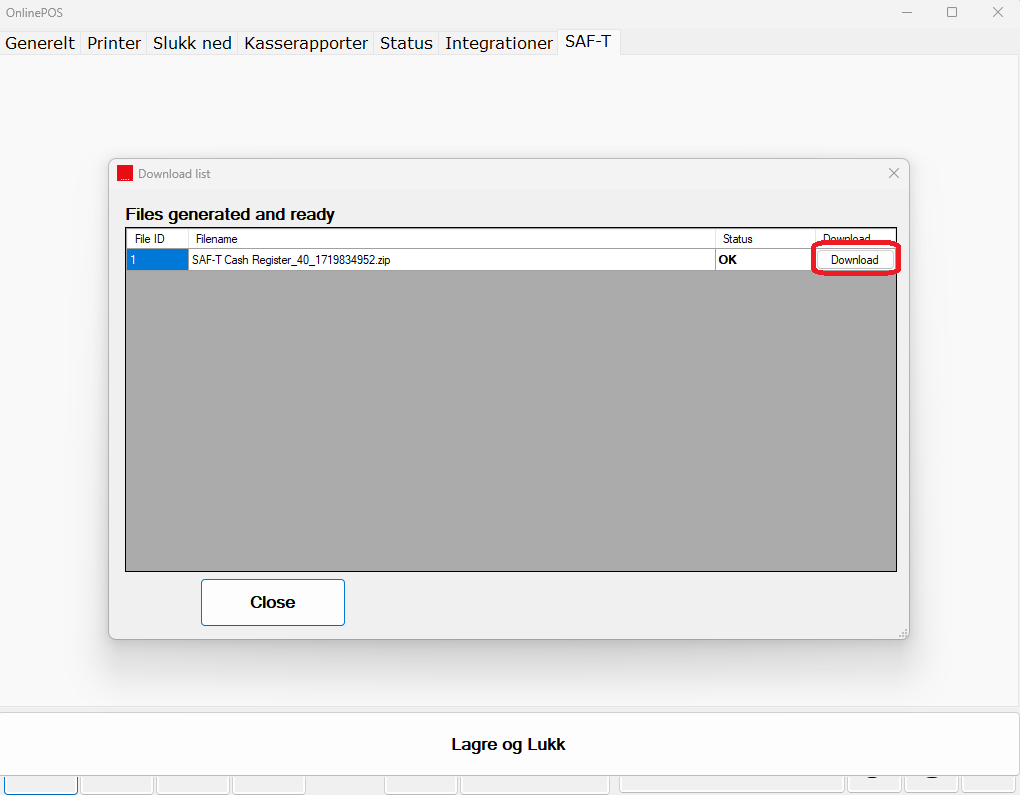
Choose where to save the report 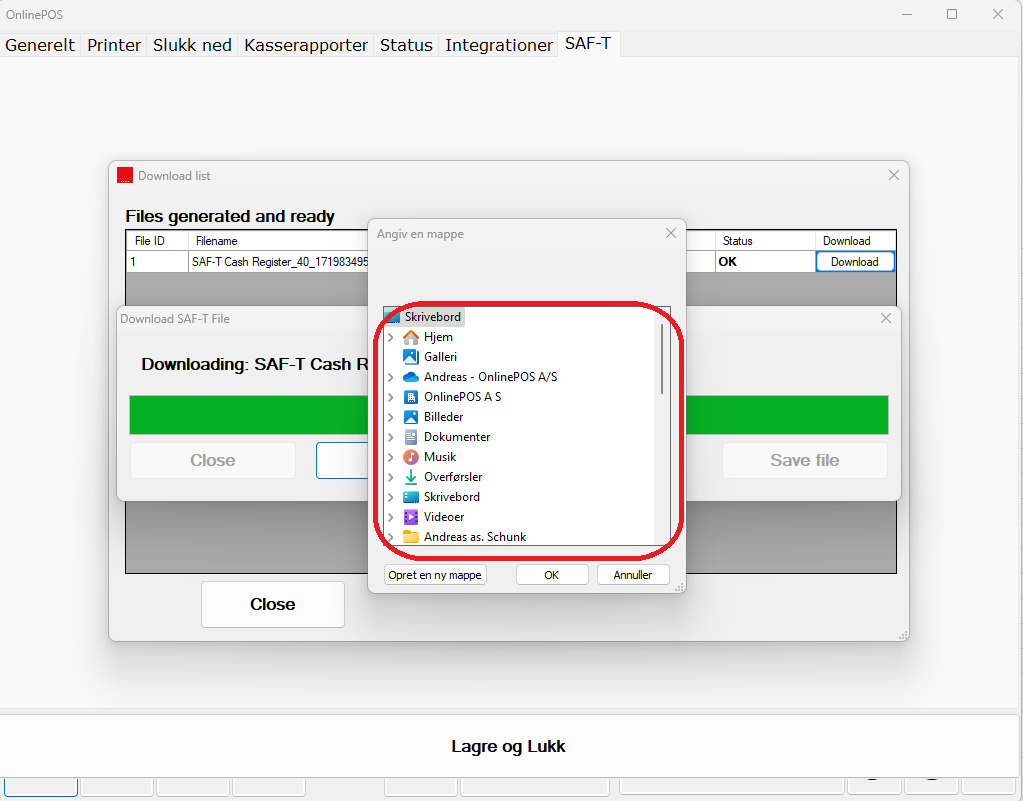

Open OnlinePOS -> press 'admin' at the bottom left corner
Select the SAF-T tab at the top
Select month and year -> press "generate files"
Wait until it is ready -> press "download"
Choose where to save the report